

Azota Teacher
Advertisement
Azota Teacher is an education app designed for teachers who need to create assignments, prepare tests, grade student work, and manage classroom tasks from a mobile device. It is not a game, so it does not have a story campaign, characters, missions, or levels. Its purpose is to support teaching work through digital tools for assignments, exams, grading, and student feedback.
Advertisement









Similiar games





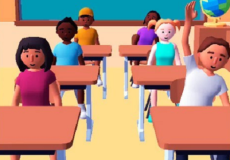
Azota Teacher is an education app designed for teachers who need to create assignments, prepare tests, grade student work, and manage classroom tasks from a mobile device. It is not a game, so it does not have a story campaign, characters, missions, or levels. Its purpose is to support teaching work through digital tools for assignments, exams, grading, and student feedback.
A Teaching Tool Instead of a Game
The app is built around school and classroom management. Teachers can use it to organize learning activities, create tests, assign homework, and check student submissions. The app also supports both online and offline exam grading, which makes it useful for different teaching situations. Instead of moving through game stages, the user works with classes, questions, assignments, and results.
Assignments, Tests, and Grading
The main workflow in Azota Teacher is based on creating learning tasks and reviewing student answers. A teacher can prepare a test, send it to students, collect responses, and use grading tools to check the results. The platform also includes automation features, so some parts of checking and scoring can be faster than manual review. Teachers can also manage scores and give feedback to students.
The main things users can do in Azota Teacher include:
· creating homework assignments;
· preparing exam questions;
· grading online and offline tests;
· managing student scores;
· giving feedback to students;
· organizing teaching activities;
· using automation tools for routine classroom tasks.
Progress Through Classroom Work
Azota Teacher does not use levels in the usual game sense. Progress comes from completing teaching tasks, such as setting up an assignment, creating an exam, checking answers, and reviewing student performance. The app is structured around practical education features rather than entertainment mechanics. A teacher may use it repeatedly across different classes, lessons, or exam periods.
To use Azota Teacher, the teacher opens the app, creates or selects a classroom task, adds the needed questions or instructions, and sends the work to students. After students complete the task, the teacher can review answers, grade submissions, and manage the results. The main goal is to make assignment creation, test management, and grading more organized in one digital workspace.
Discuss Azota Teacher
